Practice Server
How to Connect
connect 87.106.194.51:27015; password bier
Uses MatchZy plugin. Available commands.
Type .prac in chat to
enter practice.
Lineup Usage
How to Use Lineups
Select map: Press F5, hover over button, press F5 again to confirm. (Only ONCE each match)
T smokes: Press F3.
CT smokes: Press F4.
Attention: Look down (below eye level) when selecting a grenade.
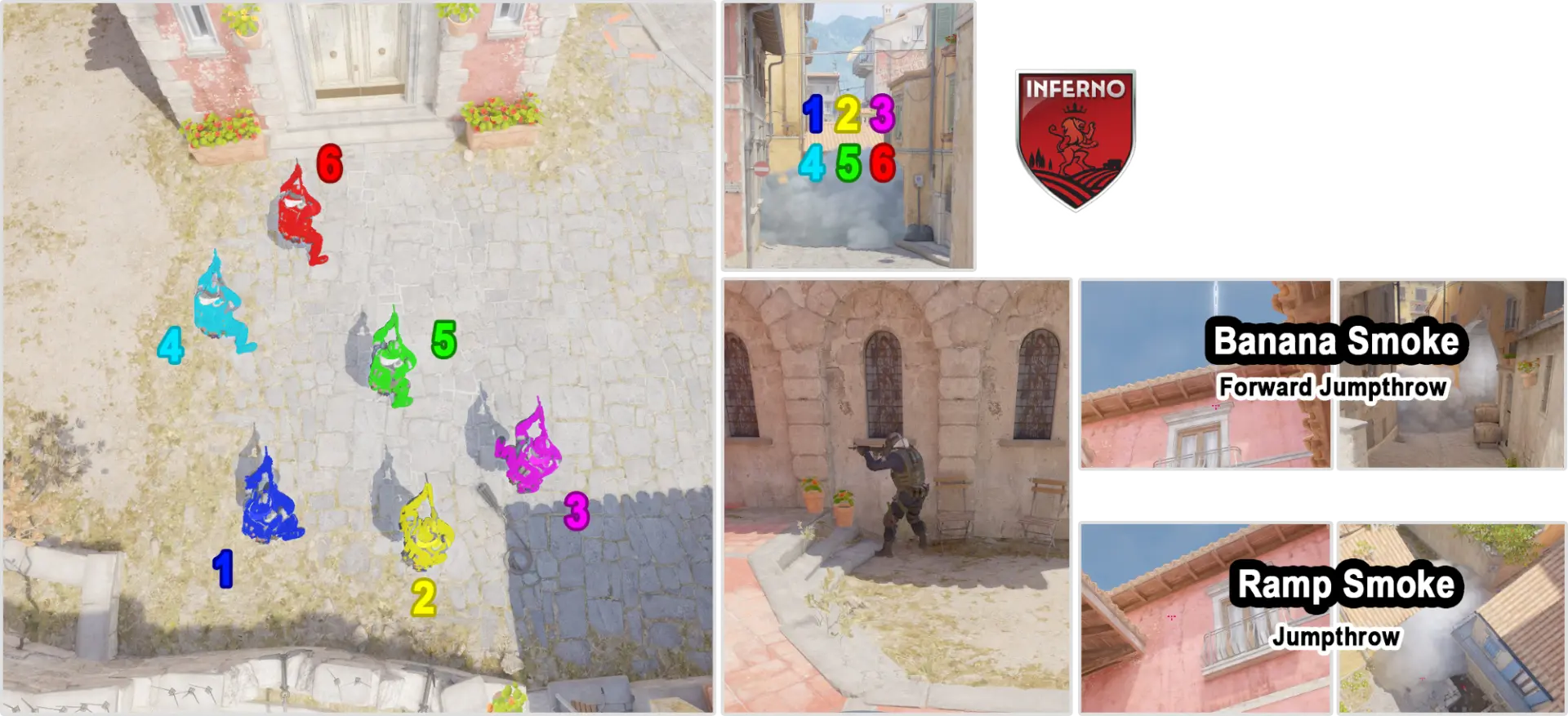
Example - Mid Smoke Inferno
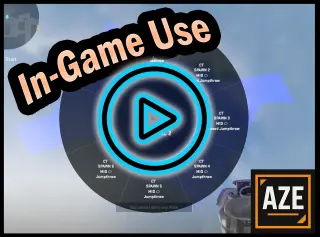
Available Throw Types:
- Jumpthrow: Standard jump throw
- Forward Jumpthrow: Hold W + jump throw
- Running JT (X steps): Take X steps forward, then jump throw
- Walking JT (X step): Hold Shift, take X step, then jump throw
- Walking Forward JT: Hold Shift+W + jump throw
Map Cheat Sheets
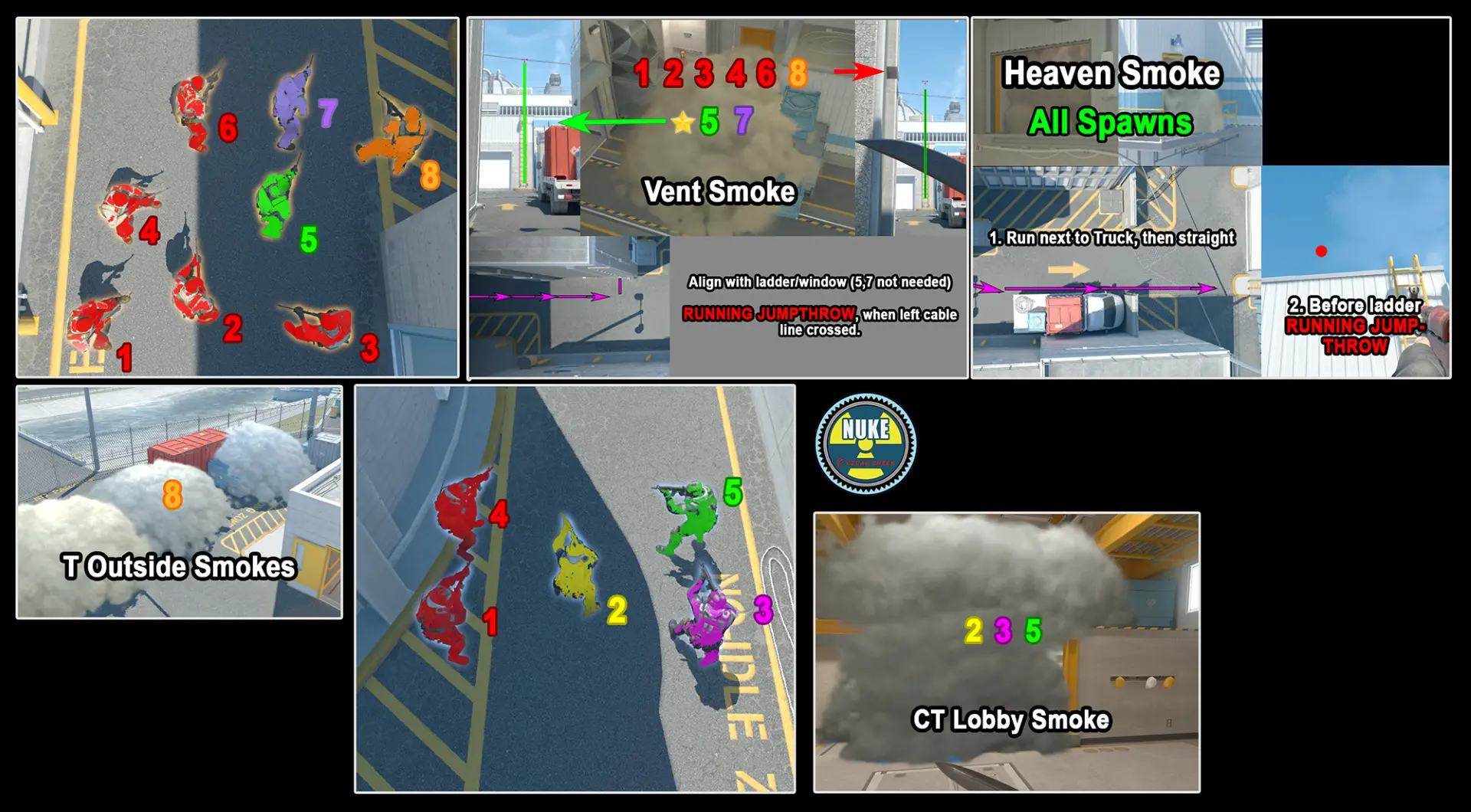
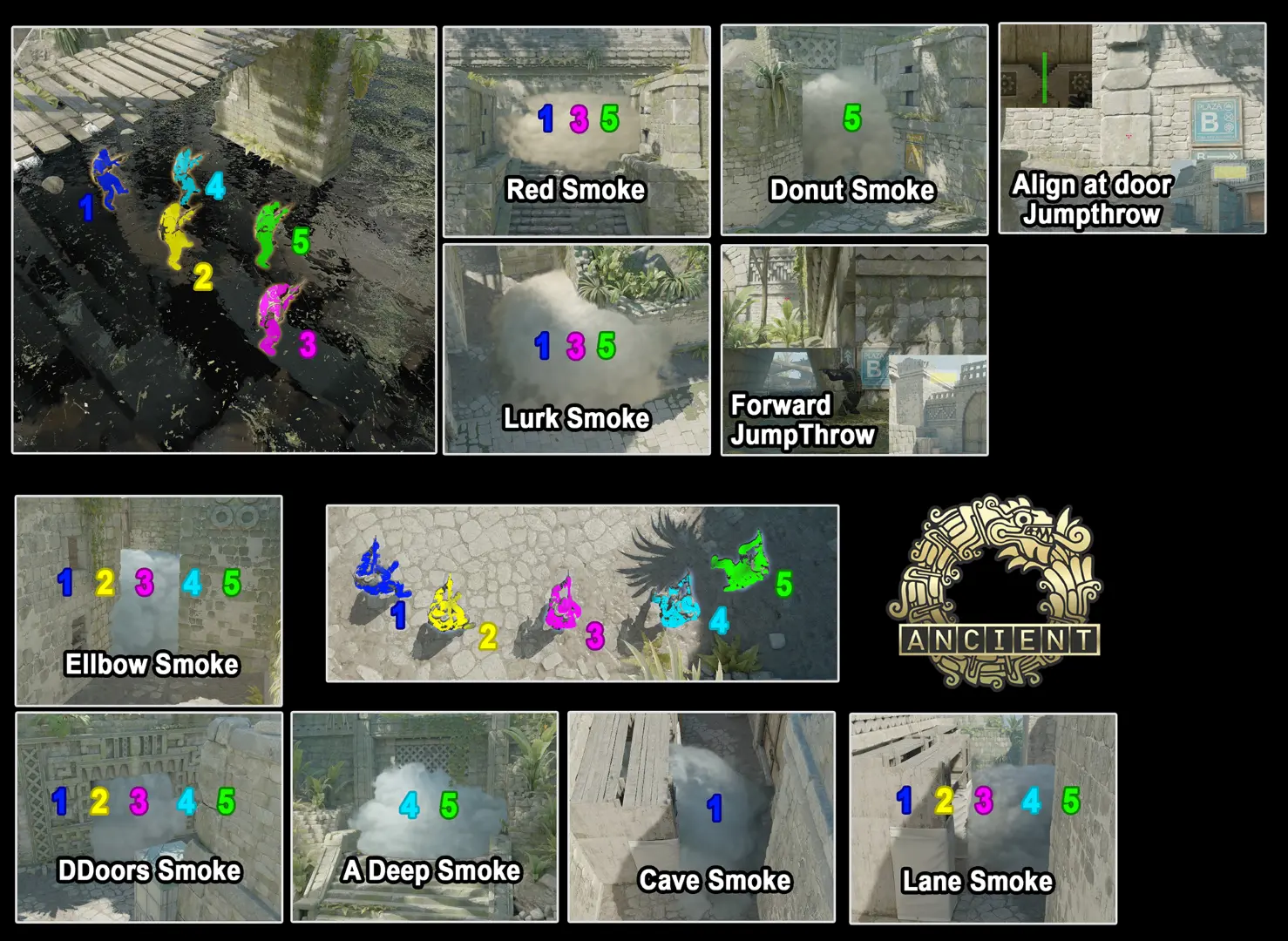
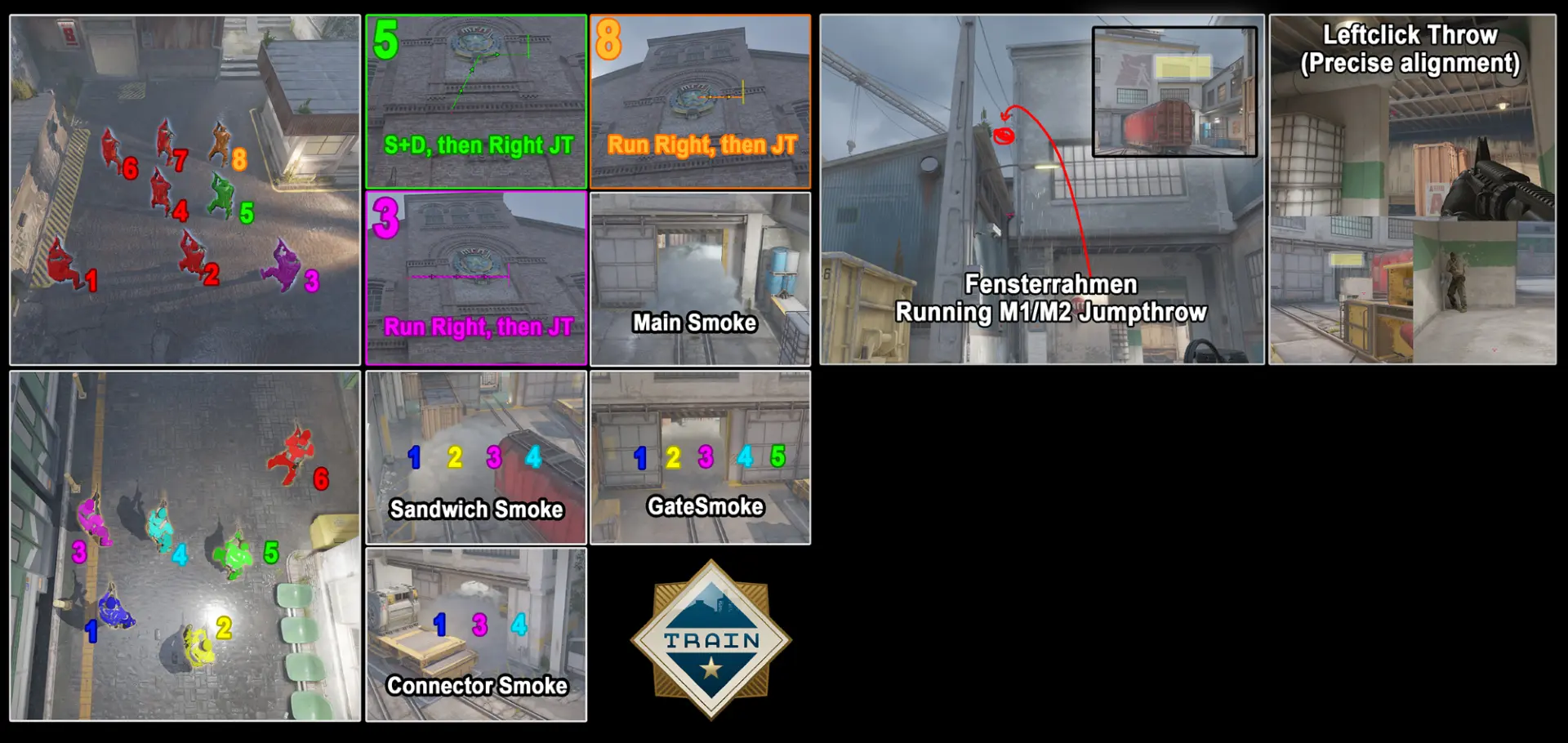
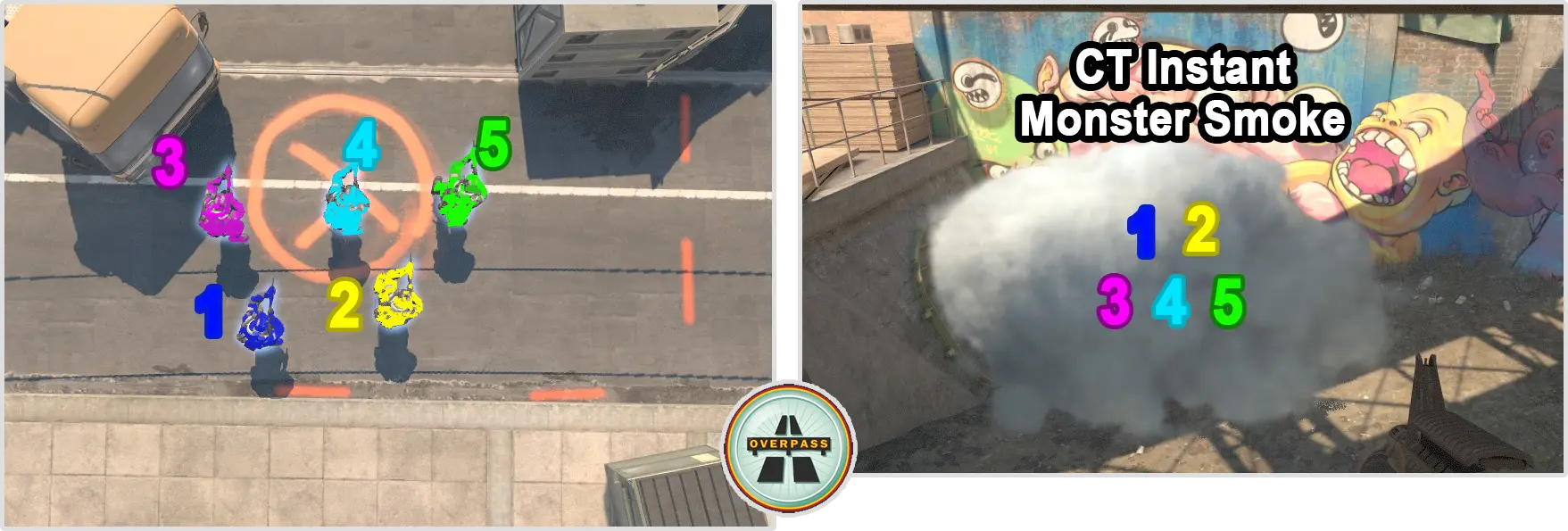
Standard Plays
Wichtige Setups / Nades ohne Lineup-Config.
Nuke
CT: Kleine Tür
Play VideoKontrolle Squeaky Vent/ Hut Push / Control A. Optimal: Erster Player Heaven wirft Molly.
Ancient
Train
T: Lower B Molotov - App Control
Play VideoUse Lineup to clear lower B and take control. (Optimal: 'Jede Runde')
Inferno
T: Banana Control
Play VideoDefault banana control Molly as T (jede Runde) + Optional: Mitte Antiflash
Lineup Installation
Setup Guide
1. Download Config: Get the latest configuration file here.
2. Copy platform_english.txt: Copy the platform_english.txt
file from ZIP-File to
steamapps\common\Counter-Strike Global Offensive\game\csgo\resource
(overwrite, if necessary).
3. Copy 'brz' Folder: Extract the brz folder and place it
in steamapps\common\Counter-Strike Global Offensive\game\csgo\cfg,
ensuring
it resides alongside the autoexec.cfg file.
4. Edit autoexec.cfg: Open your autoexec.cfg located at
steamapps\common\Counter-Strike Global Offensive\game\csgo\cfg.
Configure SENSITIVITY and NADEs shortcut: Ensure the following lines are included:
alias resetsens "sensitivity 1.0000 ; m_yaw 0.022" // !!!! Replace 1.0000!! ENTER YOUR SENSITIVITY HERE !!!!!
// ========== Lineup Menu ==========
// (customize Keybinds if you want)
bind f5 "+map_action"   // Select current map
bind f3 "+T_action"     // Open Nades on Terrorist Side
bind f4 "+CT_action"    // Open Nades on CT Side
exec /brz/nade_menu_alias